Role
UX Designer | 2 (UX + UI)
Team
Tremoloo
Platforms
Landing Page • Web Portal • Mobile Responsive
Focus
Government e-learning portal


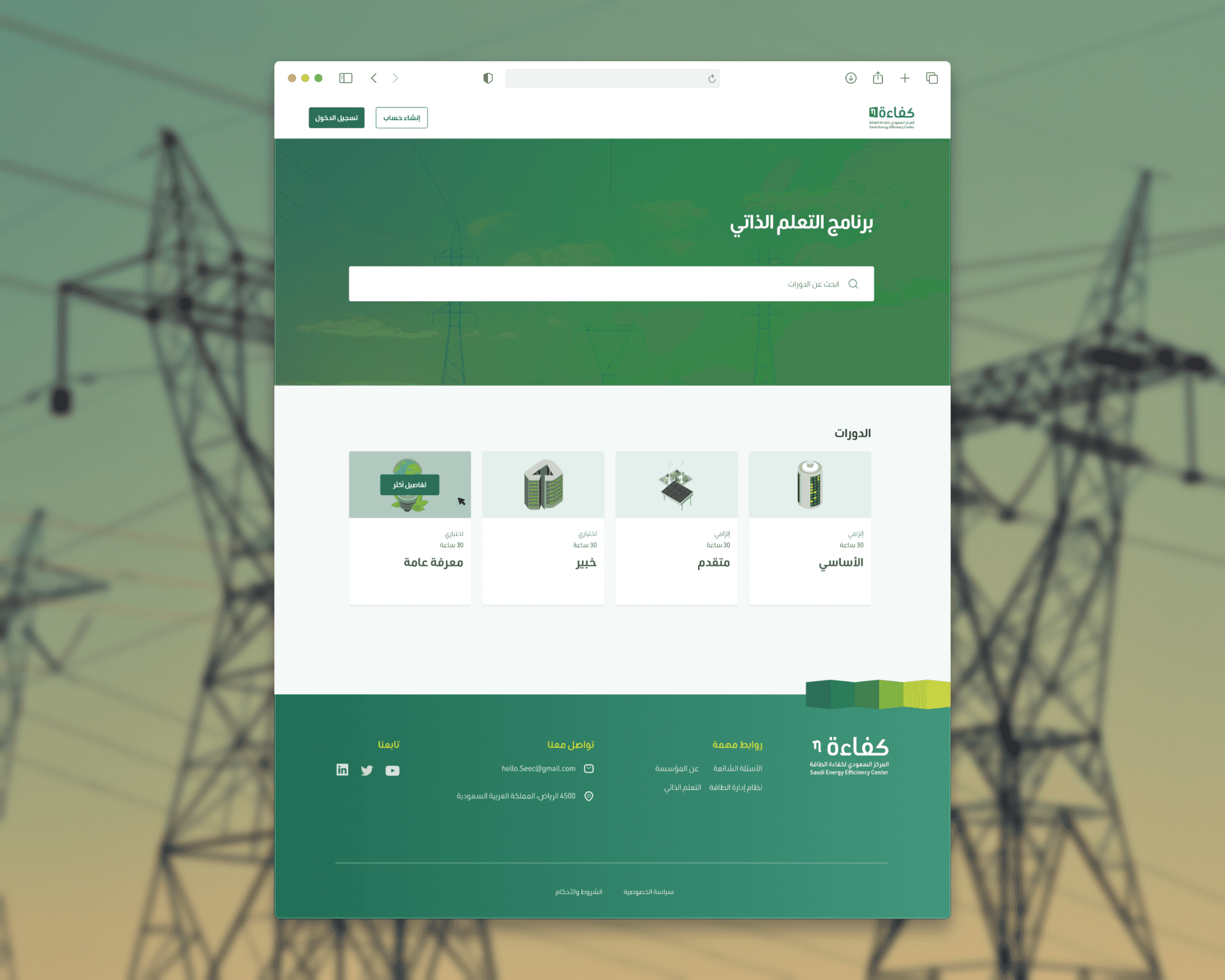
I owned the UX across the full platform — from landing page to certificate download — while the other designer handled the UI. I also managed client communication throughout.
01
User flow
Designed the full learning journey: course selection → lesson content → quiz → progress tracking → certificate
02
Course structure
Defined how lessons, quizzes, and resources are organized within each course and how progress is tracked and displayed
03
Quiz experience
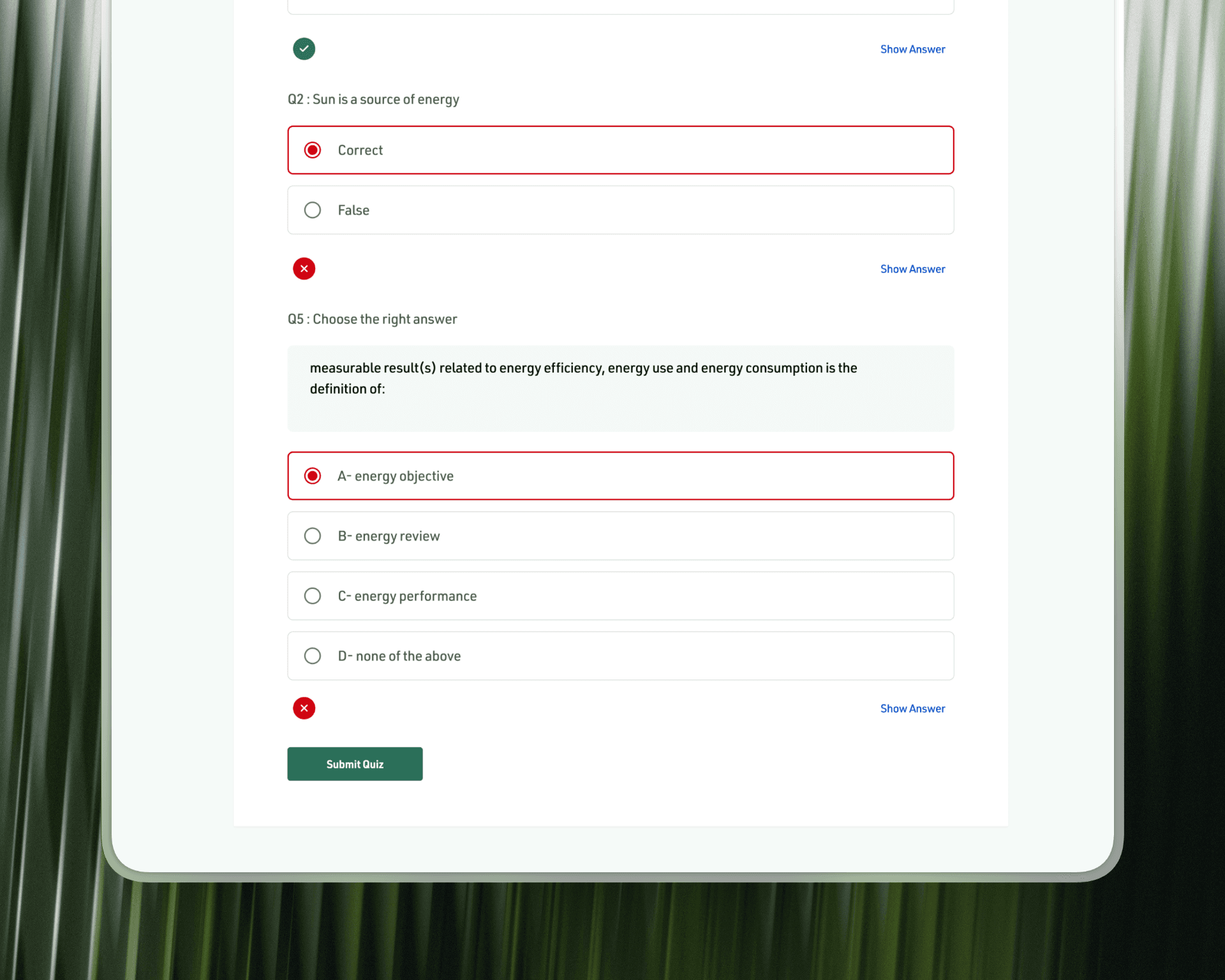
Designed the assessment flow with immediate feedback — correct, incorrect, show answer — and a clear submission and results state
04
Client communication
Managed all communication with the client throughout the project

Progress is always visible. Learners can see exactly where they are — which lessons are complete, which quizzes are passed, and what their overall score is — from the Progress tab. The chart showing quiz scores across the course makes performance tangible, not abstract.
Quizzes that teach, not just test. Each quiz question shows immediate feedback — correct or incorrect — with a "Show Answer" option available. The experience is designed to reinforce learning, not create anxiety. Submitting the quiz leads to a clear results state, not a dead end.
Certificate as the destination, not the afterthought. The certificate is the reason organizations are on the platform — it's what unlocks ISO 50001 recognition. We treated it as the goal state: a dedicated congratulations screen, a progress chart showing the full course journey, and a downloadable PDF that feels official and worth earning.

Learn. Pass. Certify.
01
Course catalog Four certification tracks — Basic, Advanced, Expert, General Awareness — each clearly presented with duration, lesson count, and enrollment status. Organizations pick the track that matches their compliance goal.
02
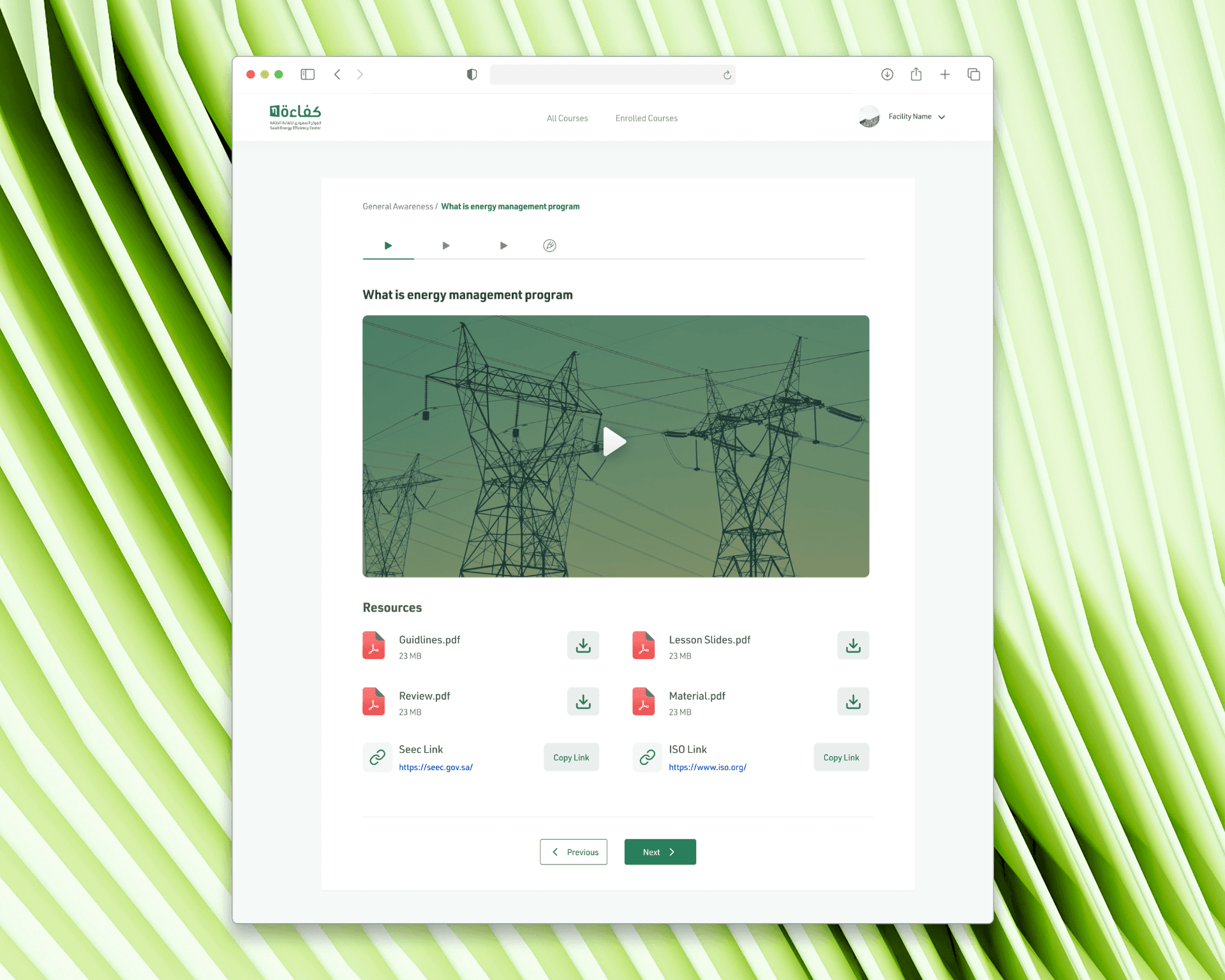
Lesson experience Video content, downloadable resources, and external links — all organized within a clean lesson view with breadcrumb navigation and step-by-step progression through the course.
03
Quiz & assessment Question by question, with immediate pass/fail feedback and show answer support. Each chapter ends with a quiz that gates the next section — making progress meaningful and the final exam earned.
04
Progress & certificate A dedicated progress view shows quiz scores across the full course as a chart. On completion, a congratulations screen surfaces the certificate with a one-click PDF download — recognized for ISO 50001 certification.

Certified. In both languages.
A bilingual government e-learning platform that takes organizations from enrollment to ISO-recognized certificate — with a learning experience clear enough to follow without a guide, and official enough to matter.


